This is a short update on my Linux OS distribution project (I don’t know the final purpose of this distro yet; for now, it’s just for training).
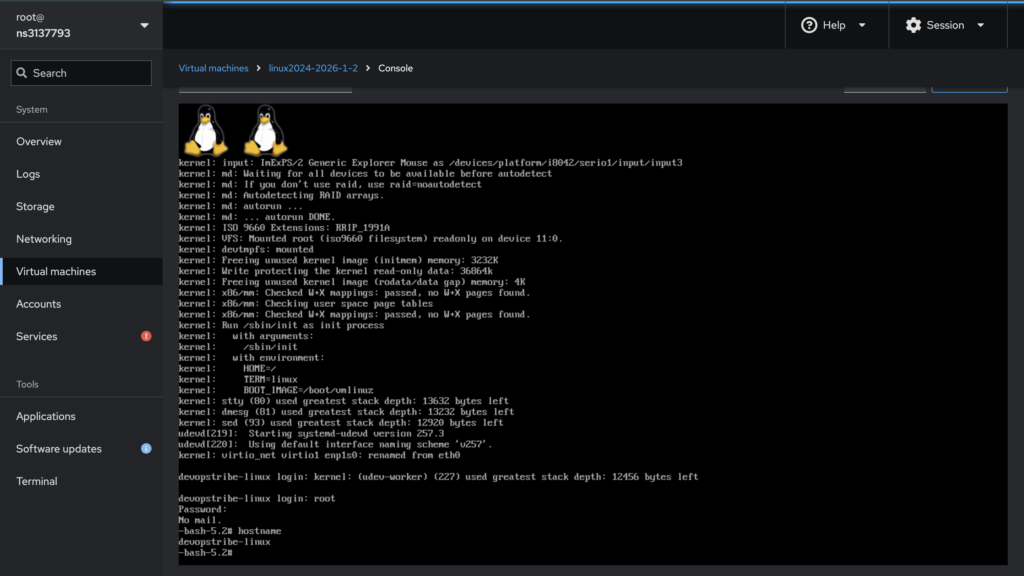
My latest update was creating a .img file, which I run through Cockpit (using https://github.com/cockpit-project/cockpit-machines). Now, I would like to create a bootable operating system by generating an ISO image.
This process takes the previously created root filesystem, which contains a minimal structure to be executed.
root@ns3137793:/mnt/lfs# du -chs *
0	bin
28M	boot
8.0K	build
0	dev
4.0K	dist
17M	etc
4.0K	home
0	lib
4.0K	lib64
12K	media
4.0K	mnt
4.0K	opt
4.0K	proc
1.5M	root
44K	run
0	sbin
4.0K	srv
4.0K	sys
148K	tmp
2.2G	usr
84K	var
Instead of using prepare_image.sh (https://github.com/lucky-sideburn/generic-distro-toolkit/blob/main/jenkins-lfs/playbooks/roles/ansible-gdt/files/prepare_image.sh), I need to create a prepare_iso.sh shell script. The initial concept is to maintain the entire root filesystem structure while creating custom grub.cfg, inittab, and fstab files.
# This is a temporary folder. I want to avoid corrupting my original /mnt/lfs
ISO_WORKSPACE="/tmp/lfs_iso_ws"
sudo mkdir -p $ISO_WORKSPACE

# I copy everything from /mnt/lfs but excluding sources directory
# Use -a to preserve permissions/symlinks which are critical for LFS
sudo rsync -a --progress --exclude='/mnt/lfs/sources' --exclude='/mnt/lfs/build' /mnt/lfs/ $ISO_WORKSPACE/

# Copy the Kernel
sudo cp /mnt/lfs/boot/vmlinuz-6.13.4-lfs-12.3 $ISO_WORKSPACE/boot/vmlinuz

# Create the GRUB config inside the workspace
# This is a live iso so my root is /dev/sr0
# I want to have tty console and serial console so I define both console=ttyS0,115200 console=tty1
# Use InitramFS

sudo mkdir -p $ISO_WORKSPACE/boot/grub
sudo tee $ISO_WORKSPACE/boot/grub/grub.cfg << EOF
set default=0
set timeout=10
menuentry "DevOpstribe Linux" {
    linux /boot/vmlinuz root=/dev/sr0 ro rootfstype=iso9660 init=/sbin/init console=ttyS0,115200 console=tty1
    initrd /boot/initrd.img-6.13.4
}
EOF


# I create an inittab file to define 3 as default runlevel (for production system use SystemD :D)
# Please pay attention to 1:2345:respawn:/sbin/agetty --autologin root --noclear -n tty1 9600, I do not want login with username and password but I want to start the installer script directly after the boot process

sudo tee $ISO_WORKSPACE/etc/inittab << 'EOF'
# Default Runlevel
id:3:initdefault:

# System initialization
si::sysinit:/etc/rc.d/init.d/rc S

# What to do in single-user mode
~:S:wait:/sbin/sulogin

# What to do when CTRL-ALT-DEL is pressed
ca::ctrlaltdel:/sbin/shutdown -t1 -a -r now

# Runlevels
l0:0:wait:/etc/rc.d/init.d/rc 0
l1:1:wait:/etc/rc.d/init.d/rc 1
l2:2:wait:/etc/rc.d/init.d/rc 2
l3:3:wait:/etc/rc.d/init.d/rc 3
l4:4:wait:/etc/rc.d/init.d/rc 4
l5:5:wait:/etc/rc.d/init.d/rc 5
l6:6:wait:/etc/rc.d/init.d/rc 6

# Consoles
1:2345:respawn:/sbin/agetty --autologin root --noclear -n tty1 9600
2:2345:respawn:/sbin/agetty tty2 9600
3:2345:respawn:/sbin/agetty tty3 9600

# End of /etc/inittab
EOF

sudo tee $ISO_WORKSPACE/etc/fstab << 'EOF'
# Begin /etc/fstab for Live ISO

# file system  mount-point    type     options             dump  fsck
proc           /proc          proc     nosuid,noexec,nodev 0     0
sysfs          /sys           sysfs    nosuid,noexec,nodev 0     0
devpts         /dev/pts       devpts   gid=5,mode=620      0     0
tmpfs          /run           tmpfs    defaults            0     0
devtmpfs       /dev           devtmpfs mode=0755,nosuid    0     0
tmpfs          /dev/shm       tmpfs    nosuid,nodev        0     0
cgroup2        /sys/fs/cgroup cgroup2  nosuid,noexec,nodev 0     0

# CD-ROM is already mounted as root, no need to mount it again
# /dev/sr0     /              iso9660  ro                  0     0

# End /etc/fstab
EOF

sudo rm $ISO_WORKSPACE/etc/rc.d/rcS.d/S45cleanfs
sudo rm $ISO_WORKSPACE/etc/rc.d/rcS.d/S40mountfs

echo "devopstribe-linux" | sudo tee $ISO_WORKSPACE/etc/hostname
# Also update /etc/hosts
sudo tee $ISO_WORKSPACE/etc/hosts << 'EOF'
# Begin /etc/hosts

127.0.0.1 localhost.localdomain localhost
127.0.1.1 lfs-live.localdomain lfs-live
::1       localhost ip6-localhost ip6-loopback
ff02::1   ip6-allnodes
ff02::2   ip6-allrouters

# End /etc/hosts
EOF

# Make sure hostname is set at boot
# Check if you have a hostname init script
ls -l $ISO_WORKSPACE/etc/rc.d/init.d/hostname

# If it doesn't exist, create one
sudo tee $ISO_WORKSPACE/etc/rc.d/init.d/hostname << 'EOF'
#!/bin/sh
########################################################################
# Begin hostname
#
# Description : Set hostname
#
########################################################################

. /lib/lsb/init-functions

case "${1}" in
   start)
      log_info_msg "Setting hostname..."
      hostname -F /etc/hostname
      evaluate_retval
      ;;
   *)
      echo "Usage: ${0} {start}"
      exit 1
      ;;
esac

# End hostname
EOF

sudo cp /mnt/lfs/sources/system-installer.sh $ISO_WORKSPACE/usr/local/bin/system-installer.sh
sudo chmod +x $ISO_WORKSPACE/usr/local/bin/system-installer.sh

> $ISO_WORKSPACE/root/.bashrc
> $ISO_WORKSPACE/root/.bash_profile

sudo tee -a $ISO_WORKSPACE/root/.bashrc << 'EOF'
#!/bin/bash
# 1. Stop kernel messages
dmesg -n 1

# Restore terminal settings
stty sane

# 2. Clear the screen completely
clear


# 4. Optional: Restore kernel logging on exit
dmesg -n 7

# Auto-start installer on first login
# It is important to use "exec" because we don't want that the user exit from the installer script
if [ -f /usr/local/bin/system-installer.sh ]; then
    exec /usr/local/bin/system-installer.sh
fi
EOF

sudo tee -a $ISO_WORKSPACE/root/.bash_profile << 'EOF'
# Carica il bashrc se esiste
if [ -f ~/.bashrc ]; then
    . ~/.bashrc
fi
EOF

cat $ISO_WORKSPACE/root/.bash_profile

sudo chmod +x $ISO_WORKSPACE/etc/rc.d/init.d/hostname

# Link it to run early in boot
sudo ln -sf ../init.d/hostname $ISO_WORKSPACE/etc/rc.d/rcS.d/S02hostname

# 5. Generate the ISO
# WARNING: This ISO will be the size of your entire LFS install
sudo grub-mkrescue -o /var/lib/libvirt/images/lfs-system.iso $ISO_WORKSPACE -- -hfsplus off
sudo chown libvirt-qemu:kvm /var/lib/libvirt/images/lfs-system.iso
Now the system can boot from the lfs-system.iso image.
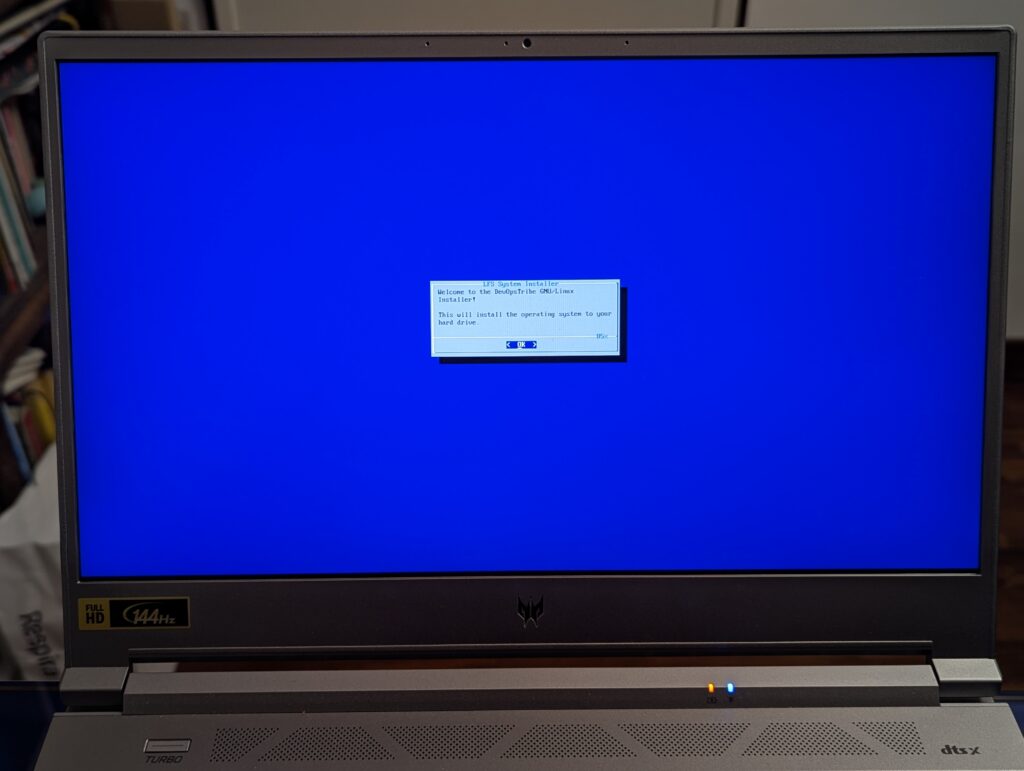
I want to provide a minimal graphical interface for my users, so I have chosen Dialog. It is very lightweight and is already used by several popular Linux distributions.
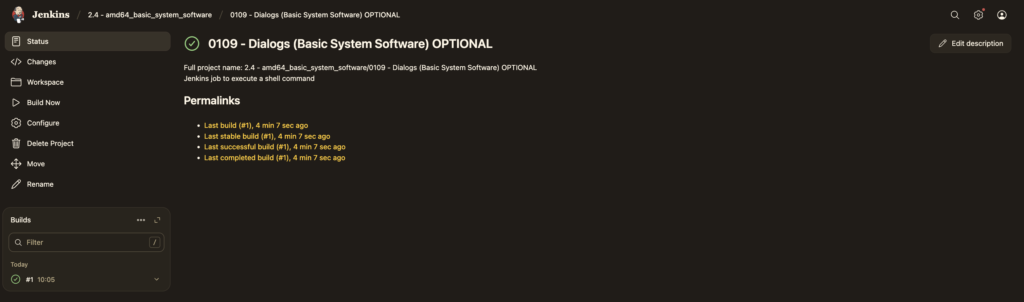
I will now add the Dialog compilation tasks to Jenkins by creating the job via Ansible. This is part of https://github.com/lucky-sideburn/generic-distro-toolkit that I use to automate some tasks.
    - name: 0109 - Dialogs (Basic System Software) OPTIONAL
      version: 2.15
      archive_file: /sources/dialog.tar.gz
      source_dir: /sources/dialog-1.3-20251223
      description: |
        Dialog is a tool for creating text-based user interfaces. This job builds Dialog, which is essential for managing file archives in the LFS environment.
      category:
        This job is part of the system configuration setup, specifically for building Dialog.
      jenkins_job_url: http://localhost:8080/job/system_configuration/Dialogs-1.3-20251223
      exec_command: echo
      build_tool: true
      build_command: |
        {{ chroot_start_command }} -c '
          cd /sources/dialog-1.3-20251223
          ./configure --prefix=/usr \
                      --with-ncursesw \
                      --enable-nls \
                      --with-libtool
          make
          make install
        '
Once Dialogs is installed, you can use it at login configuring .bash_profile and .bashrc
sudo tee -a $ISO_WORKSPACE/root/.bashrc << 'EOF'
#!/bin/bash
# 1. Stop kernel messages
dmesg -n 1

# Restore terminal settings
stty sane

# 2. Clear the screen completely
clear

# 3. Run your dialog
dialog --msgbox "System Ready" 10 30

# 4. Optional: Restore kernel logging on exit
dmesg -n 7

# Auto-start installer on first login
if [ -f /usr/local/bin/system-installer.sh ]; then
    #exec /usr/local/bin/system-installer.sh
    /usr/local/bin/system-installer.sh
fi
EOF

sudo tee -a $ISO_WORKSPACE/root/.bash_profile << 'EOF'
# Carica il bashrc se esiste
if [ -f ~/.bashrc ]; then
    . ~/.bashrc
fi
EOF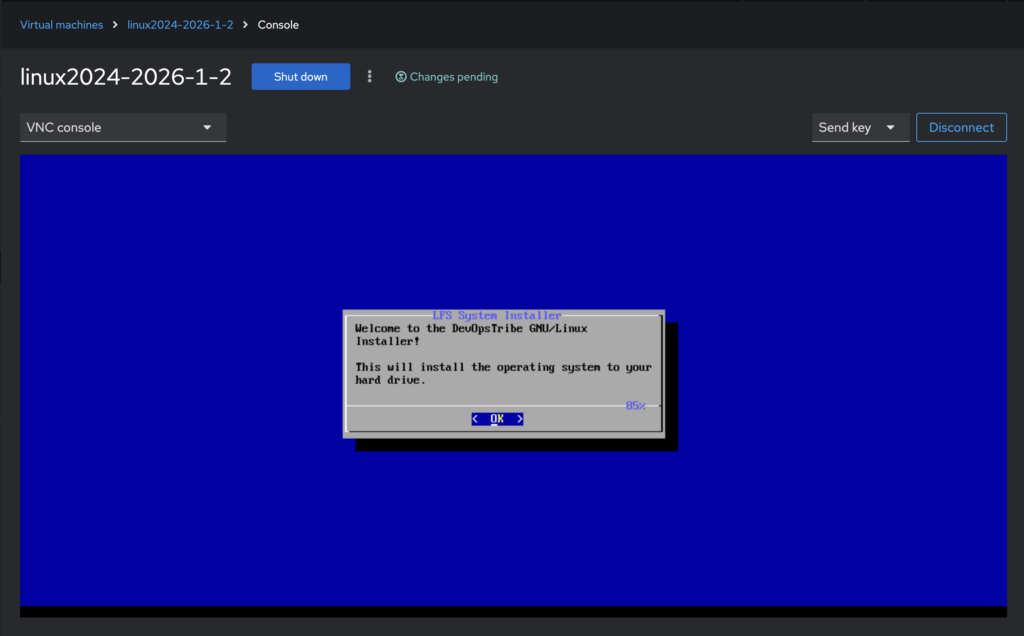
Version with initramfs made with Dracut
# 1. Create workspace
ISO_WORKSPACE="/tmp/lfs_iso_ws"
sudo mkdir -p $ISO_WORKSPACE

# 2. Copy EVERYTHING from your LFS root (except /proc, /sys, /dev)
# Use -a to preserve permissions/symlinks which are critical for LFS
sudo rsync -a --progress --exclude='/sources' --exclude='/build' /mnt/lfs/ $ISO_WORKSPACE/

# 3. Ensure the kernel is in the right place inside the workspace
sudo cp /mnt/lfs/boot/vmlinuz-6.13.4-lfs-12.3 $ISO_WORKSPACE/boot/vmlinuz

sudo mkdir dir -p $ISO_WORKSPACE/live

LFS_KERNEL_VERSION="6.13.4" # Change to your exact version
LFS_ROOT="/mnt/lfs"         # Your LFS mount point

sudo dracut --force \
    --kver $LFS_KERNEL_VERSION \
    --kmoddir $LFS_ROOT/lib/modules/$LFS_KERNEL_VERSION \
    --add "dmsquash-live bash kernel-modules rootfs-block base" \
    --omit "systemd" \
    --filesystems "iso9660 squashfs overlay" \
    --drivers "sr_mod sd_mod usb_storage uas cdrom" \
    /tmp/initrd

sudo cp /tmp/initrd $ISO_WORKSPACE/live/initrd
sudo cp /mnt/lfs/boot/vmlinuz-6.13.4-lfs-12.3 $ISO_WORKSPACE/live/vmlinuz

# 4. Create the GRUB config INSIDE the workspace
sudo mkdir -p $ISO_WORKSPACE/boot/grub

sudo tee $ISO_WORKSPACE/boot/grub/grub.cfg << EOF
insmod part_gpt
insmod part_msdos
insmod iso9660
insmod all_video

set default=0
set timeout=5

# GRUB cerca la partizione per caricare Kernel e Initrd
search --no-floppy --set=root --label DEVOPS_ISO

menuentry "DevOpsTribe GNU/Linux Live" {
    set gfxpayload=keep
    linux /live/vmlinuz boot=live root=LABEL=DEVOPS_ISO rootwait quiet splash
    initrd /live/initrd
}
EOF

sudo tee $ISO_WORKSPACE/etc/inittab << 'EOF'
# Default Runlevel
id:3:initdefault:

# System initialization
si::sysinit:/etc/rc.d/init.d/rc S

# What to do in single-user mode
~:S:wait:/sbin/sulogin

# What to do when CTRL-ALT-DEL is pressed
ca::ctrlaltdel:/sbin/shutdown -t1 -a -r now

# Runlevels
l0:0:wait:/etc/rc.d/init.d/rc 0
l1:1:wait:/etc/rc.d/init.d/rc 1
l2:2:wait:/etc/rc.d/init.d/rc 2
l3:3:wait:/etc/rc.d/init.d/rc 3
l4:4:wait:/etc/rc.d/init.d/rc 4
l5:5:wait:/etc/rc.d/init.d/rc 5
l6:6:wait:/etc/rc.d/init.d/rc 6

# Consoles
1:2345:respawn:/sbin/agetty --autologin root --noclear -n tty1 9600
2:2345:respawn:/sbin/agetty tty2 9600
3:2345:respawn:/sbin/agetty tty3 9600

# End of /etc/inittab
EOF

sudo tee $ISO_WORKSPACE/etc/fstab << 'EOF'
# Begin /etc/fstab for Live ISO

# file system  mount-point    type     options             dump  fsck
proc           /proc          proc     nosuid,noexec,nodev 0     0
sysfs          /sys           sysfs    nosuid,noexec,nodev 0     0
devpts         /dev/pts       devpts   gid=5,mode=620      0     0
tmpfs          /run           tmpfs    defaults            0     0
devtmpfs       /dev           devtmpfs mode=0755,nosuid    0     0
tmpfs          /dev/shm       tmpfs    nosuid,nodev        0     0
cgroup2        /sys/fs/cgroup cgroup2  nosuid,noexec,nodev 0     0

# CD-ROM is already mounted as root, no need to mount it again
# /dev/sr0     /              iso9660  ro                  0     0

# End /etc/fstab
EOF

sudo rm $ISO_WORKSPACE/etc/rc.d/rcS.d/S45cleanfs
sudo rm $ISO_WORKSPACE/etc/rc.d/rcS.d/S40mountfs
sudo rm $ISO_WORKSPACE/etc/rc.d/rc3.d/S92kubelet
sudo rm $ISO_WORKSPACE/etc/rc.d/rc3.d/S91crio
sudo rm $ISO_WORKSPACE/etc/rc.d/rc3.d/S30sshd
echo "devopstribe-linux" | sudo tee $ISO_WORKSPACE/etc/hostname
# Also update /etc/hosts
sudo tee $ISO_WORKSPACE/etc/hosts << 'EOF'
# Begin /etc/hosts

127.0.0.1 localhost.localdomain localhost
127.0.1.1 lfs-live.localdomain lfs-live
::1       localhost ip6-localhost ip6-loopback
ff02::1   ip6-allnodes
ff02::2   ip6-allrouters

# End /etc/hosts
EOF

# Make sure hostname is set at boot
# Check if you have a hostname init script
ls -l $ISO_WORKSPACE/etc/rc.d/init.d/hostname

# If it doesn't exist, create one
sudo tee $ISO_WORKSPACE/etc/rc.d/init.d/hostname << 'EOF'
#!/bin/sh
########################################################################
# Begin hostname
#
# Description : Set hostname
#
########################################################################

. /lib/lsb/init-functions

case "${1}" in
   start)
      log_info_msg "Setting hostname..."
      hostname -F /etc/hostname
      evaluate_retval
      ;;
   *)
      echo "Usage: ${0} {start}"
      exit 1
      ;;
esac

# End hostname
EOF

sudo cp /mnt/lfs/sources/system-installer.sh $ISO_WORKSPACE/usr/local/bin/system-installer.sh
sudo chmod +x $ISO_WORKSPACE/usr/local/bin/system-installer.sh

> $ISO_WORKSPACE/root/.bashrc
> $ISO_WORKSPACE/root/.bash_profile

sudo tee -a $ISO_WORKSPACE/root/.bashrc << 'EOF'
#!/bin/bash
# 1. Stop kernel messages
dmesg -n 1

# Restore terminal settings
stty sane

# 2. Clear the screen completely
clear

# 3. Run your dialog
dialog --msgbox "System Ready" 10 30

# 4. Optional: Restore kernel logging on exit
dmesg -n 7

# Auto-start installer on first login
if [ -f /usr/local/bin/system-installer.sh ]; then
    exec /usr/local/bin/system-installer.sh
fi
EOF

sudo tee -a $ISO_WORKSPACE/root/.bash_profile << 'EOF'
# Carica il bashrc se esiste
if [ -f ~/.bashrc ]; then
    . ~/.bashrc
fi
EOF

cat $ISO_WORKSPACE/root/.bash_profile

sudo chmod +x $ISO_WORKSPACE/etc/rc.d/init.d/hostname

sudo ln -sf ../init.d/hostname $ISO_WORKSPACE/etc/rc.d/rcS.d/S02hostname

sudo mksquashfs /mnt/lfs/ $ISO_WORKSPACE/live/filesystem.squashfs \
  -e boot \
  -e sources \
  -e dev/* \
  -e proc/* \
  -e sys/* \
  -e run/* \
  -e tmp/* \
  -comp xz

sudo grub-mkrescue --iso-level 3 \
  -o /var/lib/libvirt/images/lfs-system.iso $ISO_WORKSPACE -- -volid "DEVOPS_ISO" \
     -publisher "DevOpsTribe" \
     -hfsplus off

sudo chown libvirt-qemu:kvm /var/lib/libvirt/images/lfs-system.iso
After preparing the iso you can burn to USB with different methods, my preferred are dd
root@datastore01:/home/eugenio/Downloads# sudo dd if=/home/eugenio/Downloads/lfs-system.iso  of=/dev/sdc bs=4M status=progress conv=fsync
1035993088 bytes (1.0 GB, 988 MiB) copied, 79 s, 13.0 MB/s
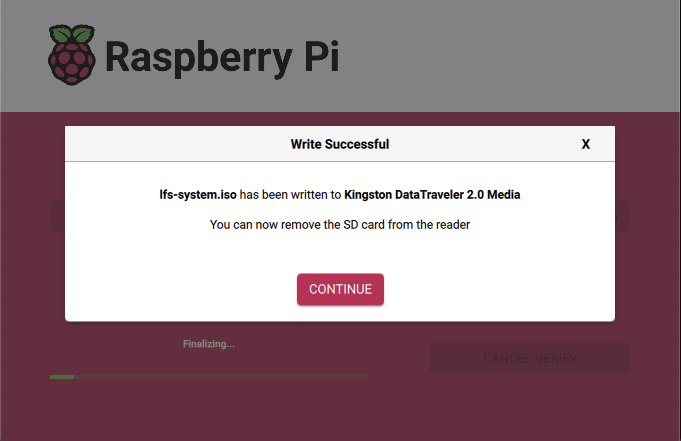
or Raspberry PI Imager